articleTAG: DXREAD_TIME: 19_MIN
Making Immersive LLM Chat Experiences More Accessible
Eric Bailey translates experience improving full-screen LLM chat into specific interaction and announcement patterns. A dedicated live region should announce a completed response without moving focus away from the prompt, while processing status keeps a long wait from feeling like a stalled interface. Visually hidden message headings identify who spoke and provide conversation navigation, with landmarks reserved for larger application regions rather than every message. Preferences for announcement detail, motion, sound and keyboard shortcuts let users manage distraction and conflicts; tables and code may need concise announcement previews while preserving their actual semantics in the message. These patterns target immersive chat rather than every popup, and inclusive research with disabled users remains necessary to judge usability beyond formal compliance.
TAG: DXREAD_TIME: 5_MIN
Accessibility statements now have a home on GitHub
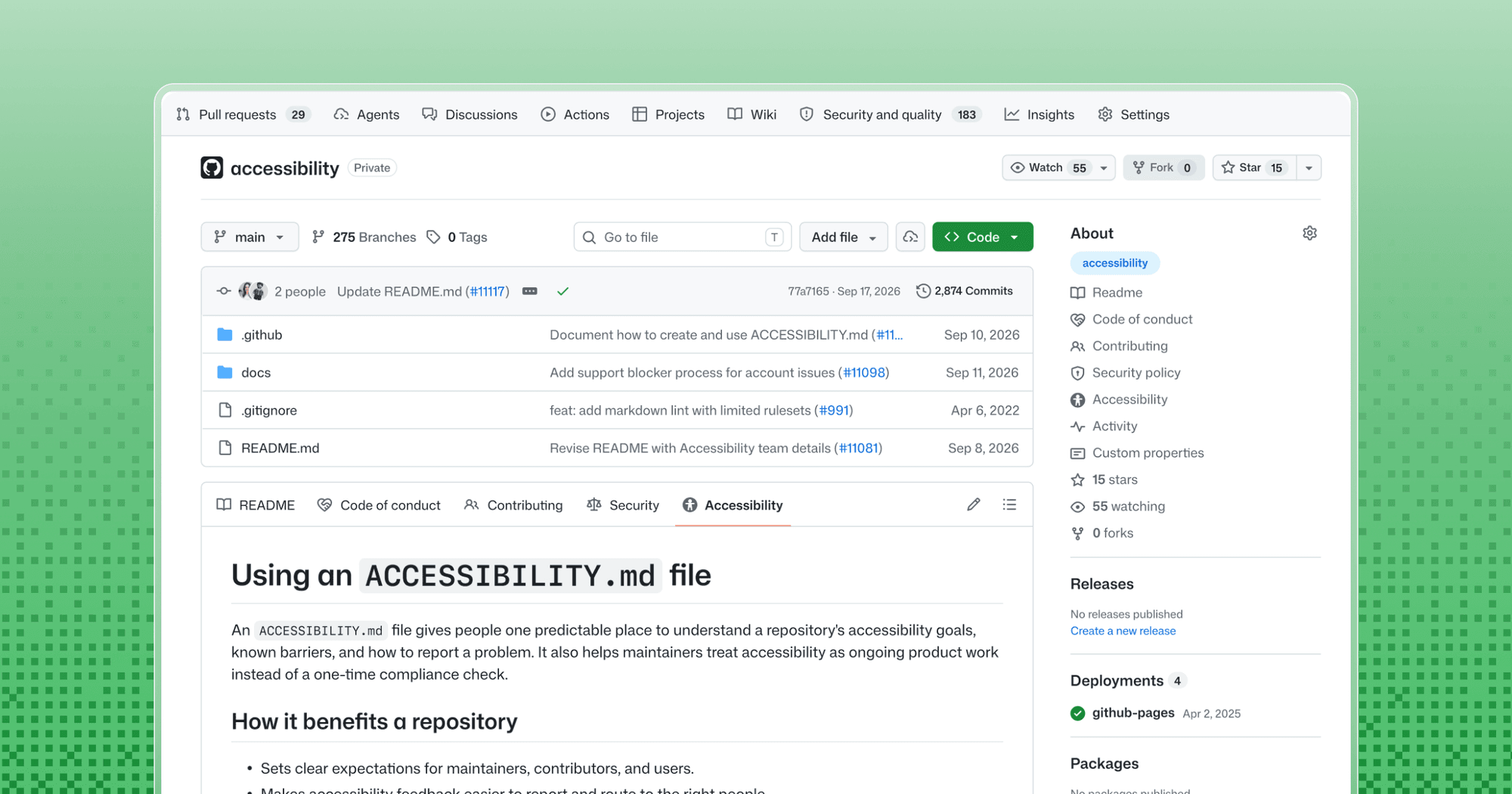
GitHub now recognizes ACCESSIBILITY.md as a discoverable home for a project's accessibility goals, known barriers and reporting process. The file can live in the repository root, .github or docs directory, and an organization-level statement can be inherited from its .github repository. Useful statements name tested environments, ownership, workarounds and realistic response expectations, while inviting reports without requiring disability disclosure or mandatory recordings. GitHub's examples also show why visual design annotations may need a structured text explanation and why unperformed keyboard or screen-reader testing should be stated plainly. Start with information maintainers can keep accurate: naming a WCAG target does not establish verified conformance, and a visible statement is valuable only when it connects users to an actionable process.
TAG: TOOLINGREAD_TIME: 7_MIN
PDF remediation: How to make inaccessible PDFs accessible
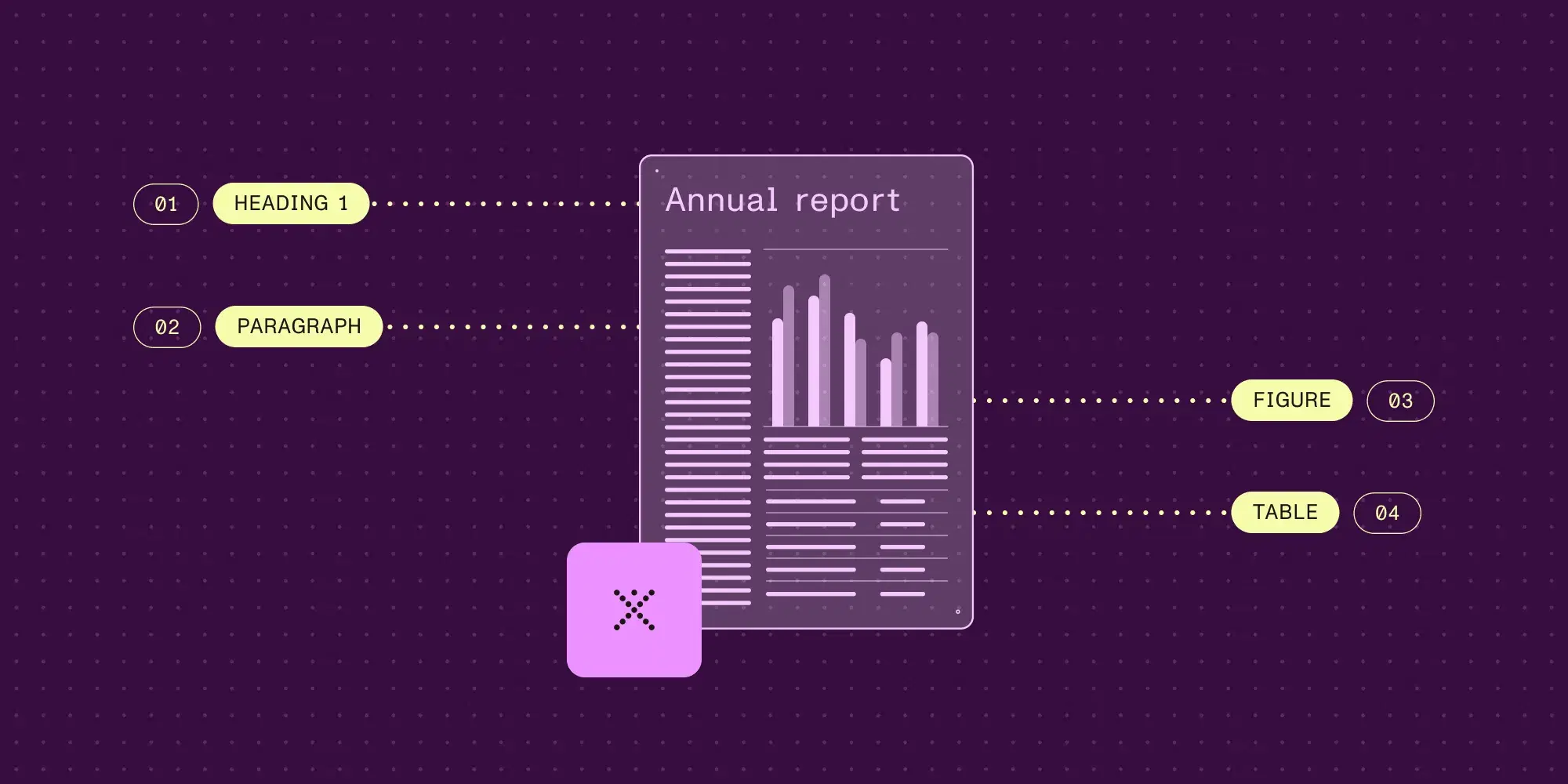
PDF remediation repairs the structure that a visually correct document may lack, including tags, reading order, image descriptions, table relationships and form labels. Nutrient recommends fixing the originating document or template when possible, then using OCR for image-only pages before adding semantic structure. The workflow combines automated tagging and validation with manual review of complex layouts, meaningful descriptions and actual keyboard or screen-reader use. Validation reports should state what was checked, accompany the repaired file and be revisited when the document changes. Automation can make repeatable document pipelines more consistent, but a successful checker result alone does not establish that every chart, reading sequence or form is understandable; route exceptions to a person and test the output before publication.
TAG: ARCHITECTUREREAD_TIME: 6_MIN
Don’t Build the Reusable Component Yet
Similar-looking screens can conceal workflows that change for entirely different reasons. A shared item-action component accumulates approval, modification and relocation modes because their validation, failure and audit requirements do not actually move together. The article recommends waiting for a repeated pattern with the same reason to change, using the responsible decision-maker and affected copies as a practical test. Stable primitives, design tokens, accessibility behavior and externally defined formats remain good early candidates for reuse, so the advice does not require duplicating every button or dialog. When an abstraction already binds unrelated workflows, inline its behavior into the callers, remove irrelevant branches, and extract smaller shared pieces once their genuine common contract becomes clear.
TAG: DXREAD_TIME: 5_MIN
Foundations: link text
Link wording affects whether people can predict a destination before activating it, especially when navigating a screen reader's list of links. Niamh Madden recommends concise, descriptive labels that distinguish destinations, while recognizing that surrounding sentence or paragraph context can sometimes establish a link's purpose. Visible wording should also support speech input, and meaningful labels help readers scanning a page with magnification. Styling matters alongside copy: an underline or another non-color cue, together with a visible focus treatment, makes the interaction easier to locate. Review a page's links as a list and in their actual context, then connect improvements to the applicable WCAG criteria without treating every authoring recommendation as an independent conformance requirement.
summarizeDigest_Summary
Accessible interfaces require both usable behavior and a maintained explanation of what has been verified. Eric Bailey's chat patterns address announcements and navigation, while GitHub's ACCESSIBILITY.md gives limitations, supported environments and reporting routes a durable home.
The same distinction applies to documents and links. PDF tagging needs reading-order and assistive-technology review, and a link label needs to work in its surrounding context as well as the ways people navigate or speak it.
Component reuse adds an organizational boundary: identical-looking workflows may belong to different decision owners, even when stable primitives and accessibility behavior should be shared. Accessibility becomes maintainable when controls, content and ownership agree. Build a small shared contract, record its limits and verify the experience rather than relying on a checklist or abstraction alone.
Key Takeaways- Announce completed chat responses through a dedicated live region and offer navigable message headings and user preferences.
- Use
ACCESSIBILITY.md to name known barriers and reporting ownership; a stated WCAG target is not verified conformance. - Check PDF reading order and meaningful link labels, and share components when their reasons for change genuinely align.